
01 / Capture
Watch. Speak.
There’s your note.
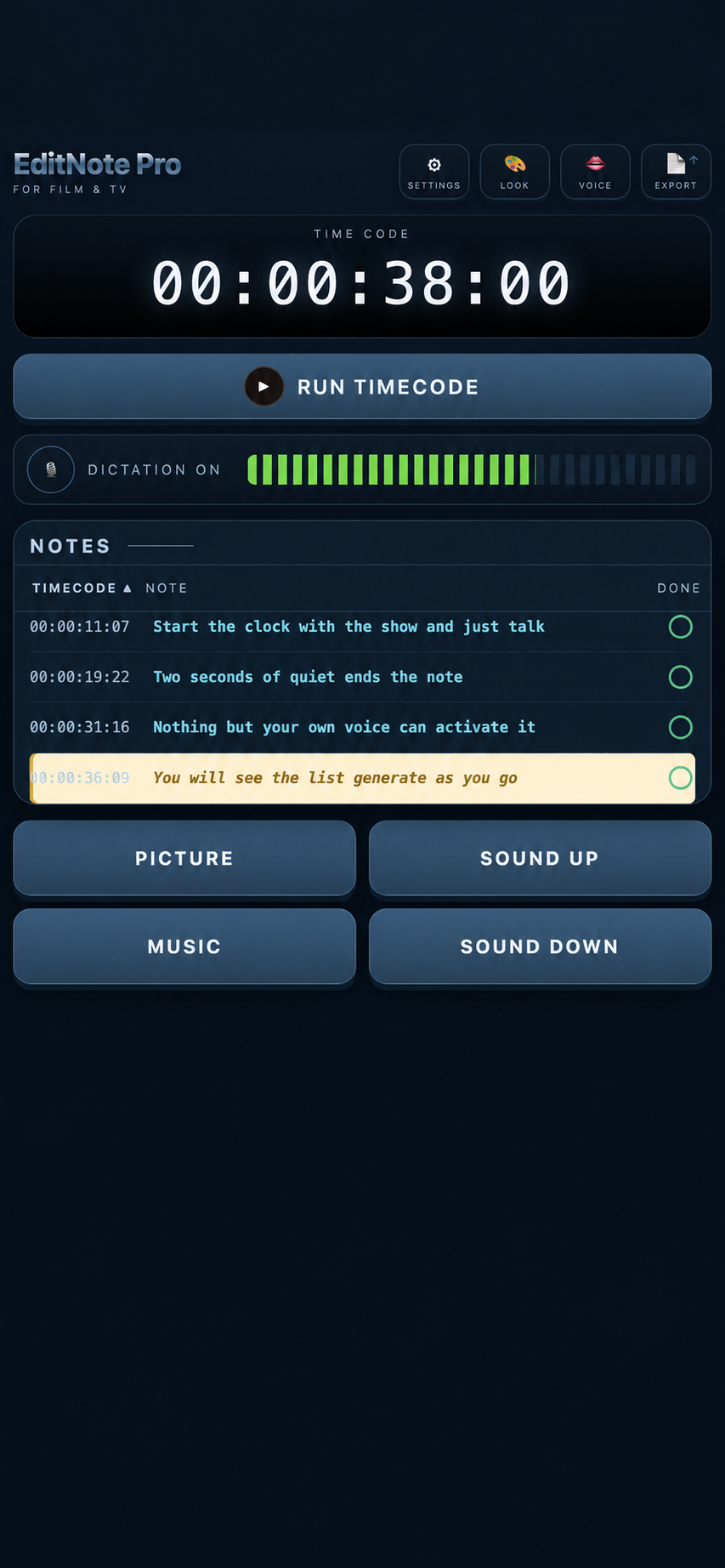
Just start the clock and your show at the same time, then say what you’re thinking. The timecode is stamped from the start of your voice.

Free for the first 2 hours. £17.99 once — no subscription.
Less scribbling. More STORY.
We’ve all been in that viewing. You look down to write “dialogue up” — and miss the next three shots. Then you forgot to timecode it.
You're left with the notepad of a maniac and no one can help you decipher it afterwards.
EditNote Pro turns what you say or tap into an organised list, ready to share and work through when the viewing ends.
Its particularly good for fine cut notes.
From the viewing to the edit.
01 / Capture
Just start the clock and your show at the same time, then say what you’re thinking. The timecode is stamped from the start of your voice.
02 / Share
Export your notes as a .txt file and email it as you normally would. Your editor can load it straight into EditNote Pro.
Or keep it quiet
For viewing in a room with others, Picture. Music. Sound up. Sound down. Add your own buttons for the notes your show needs.
Keep watching, say what you think, and give your editor organised, professional notes they can act on.
01 / Stay with the story
The real benefit is no looking down to scribble, and solid timecoded notes. It's often tempting to stop the show to write your note. but that breaks the flow. Don't stop. Just note.
02 / Make it clear
The timecode is closer to the note, not the 6 seconds after it. So your editor knows exactly what you want changed. and you don't have to go back to check what the time was.
03 / Keep it familiar
Export a simple text file and send it from your own email. It's that simple. You will probably want to adapt your notes afterwards. its as simple as writing the email. Your editor can then load your pro list into EditNote Pro and work through it with voice assistance.
04 / Keep footage separate
You simply start the app's timecode and your show at the same time. There is no digital connection to the actual show ensuring complete confidentiality. Plus, using an iPhone and Safari means all transcription is handled locally using Apple's own transcription software. no audio is ever uploaded. Your show is completly safe.
Tap a note and hear it read aloud, timecode first so you can tap it into the NLE. Then the note. Keep your attention on the timeline while EditNote Pro does the organising, reading and list management. It's like having an assistant for your notes session.
Tap the note when you’re done. It's crossed off the list and the next note is read to you.
Work backwards through the cut obviously. If you're a pro you know why.
Your show stays SAFE.
1. No show upload. No connection to your copyrighted material. Start the timecode alongside your viewing. EditNote Pro captures your notes without needing access to the programme itself. This is a security must for high security productions.
2. Transcription stays local to your Mac or iPhone if you use the app through Safari. Not even your voice data is shared. *
3. Export a text file to your computer and share it through your own email. A straightforward handoff that fits the way your team already works.
Make yourself comfortable.
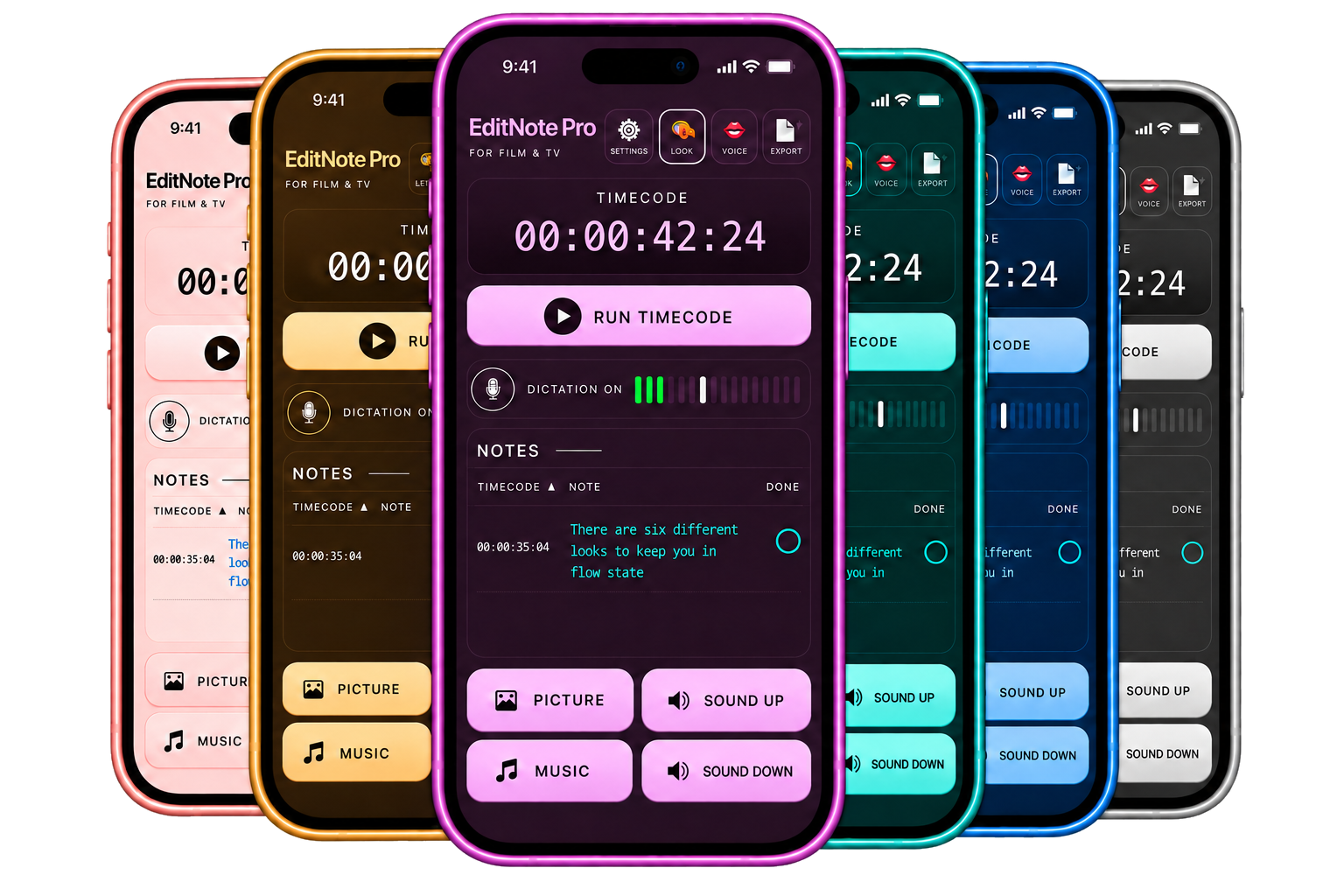
From Midnight Blue to Rose Gold. Choose the look that feels right for you, to keep you in a flow state while you cut.
EditNote Pro
Your next viewing deserves better than a scrap of paper.
Try EditNote ProFree for the first 2 hours. £17.99 once — no subscription, no expiry.
In your browser. On your iPhone, iPad or Mac.